Android Device
- Please insert SIM to the phone.
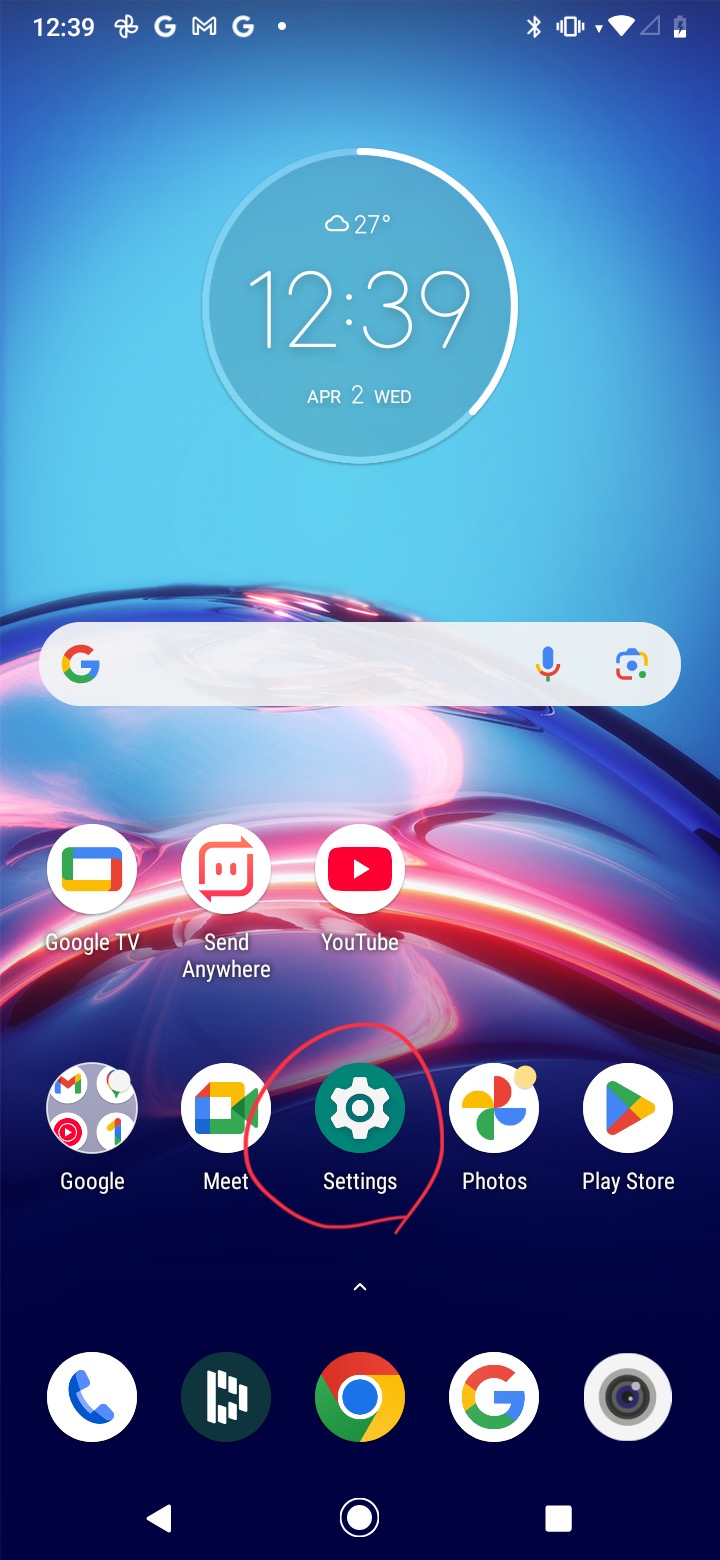
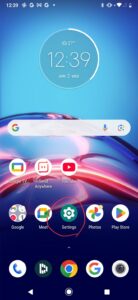
សូមដាក់ស៊ីមចូលក្នុងទូរស័ព្ទ។ - Go to phone settings.
ចូលទៅកាន់ការកំណត់ទូរស័ព្ទ។
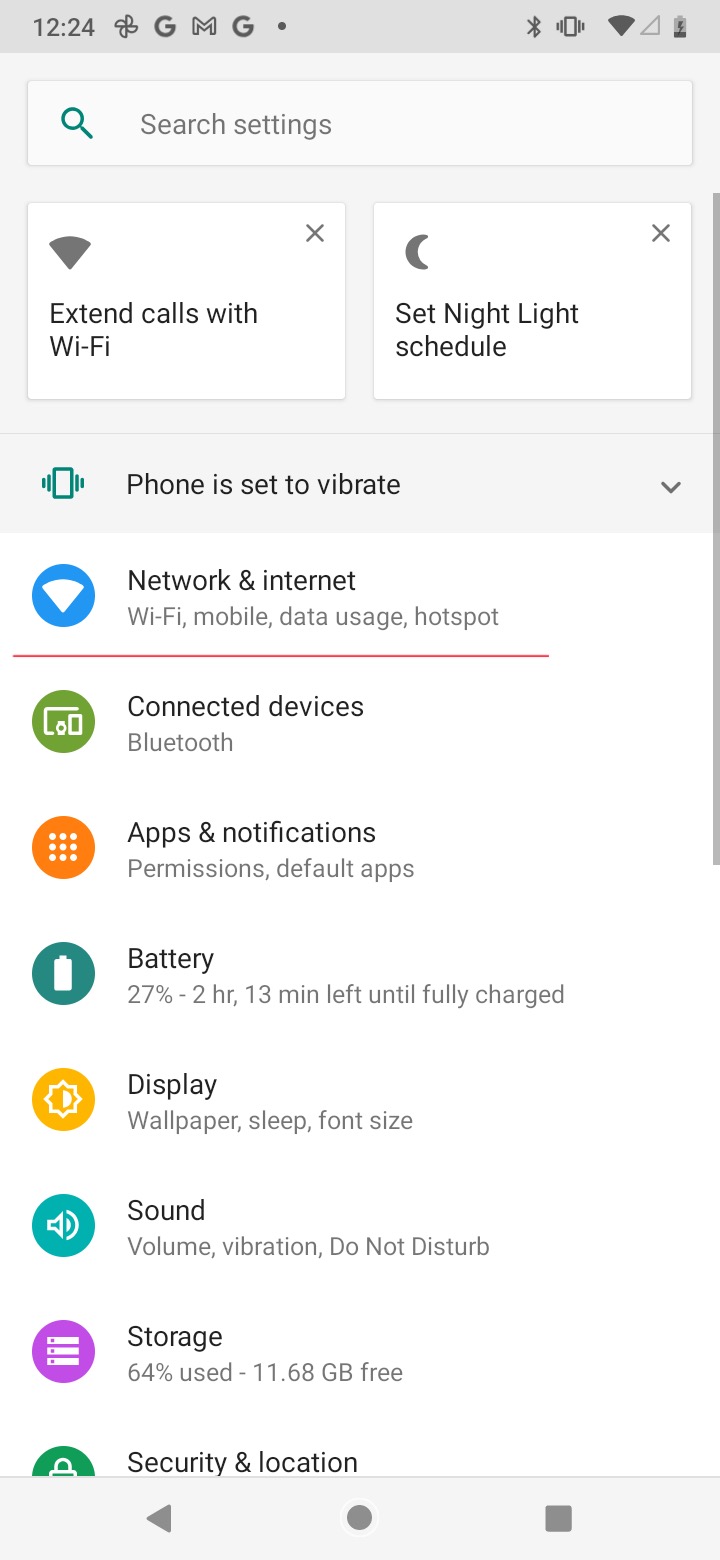
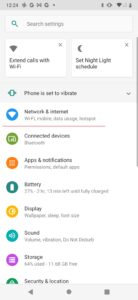
- Click “Network & Internet”.
ចុច “បណ្តាញ(Network) & អ៊ីនធឺណិត(Internet)”។
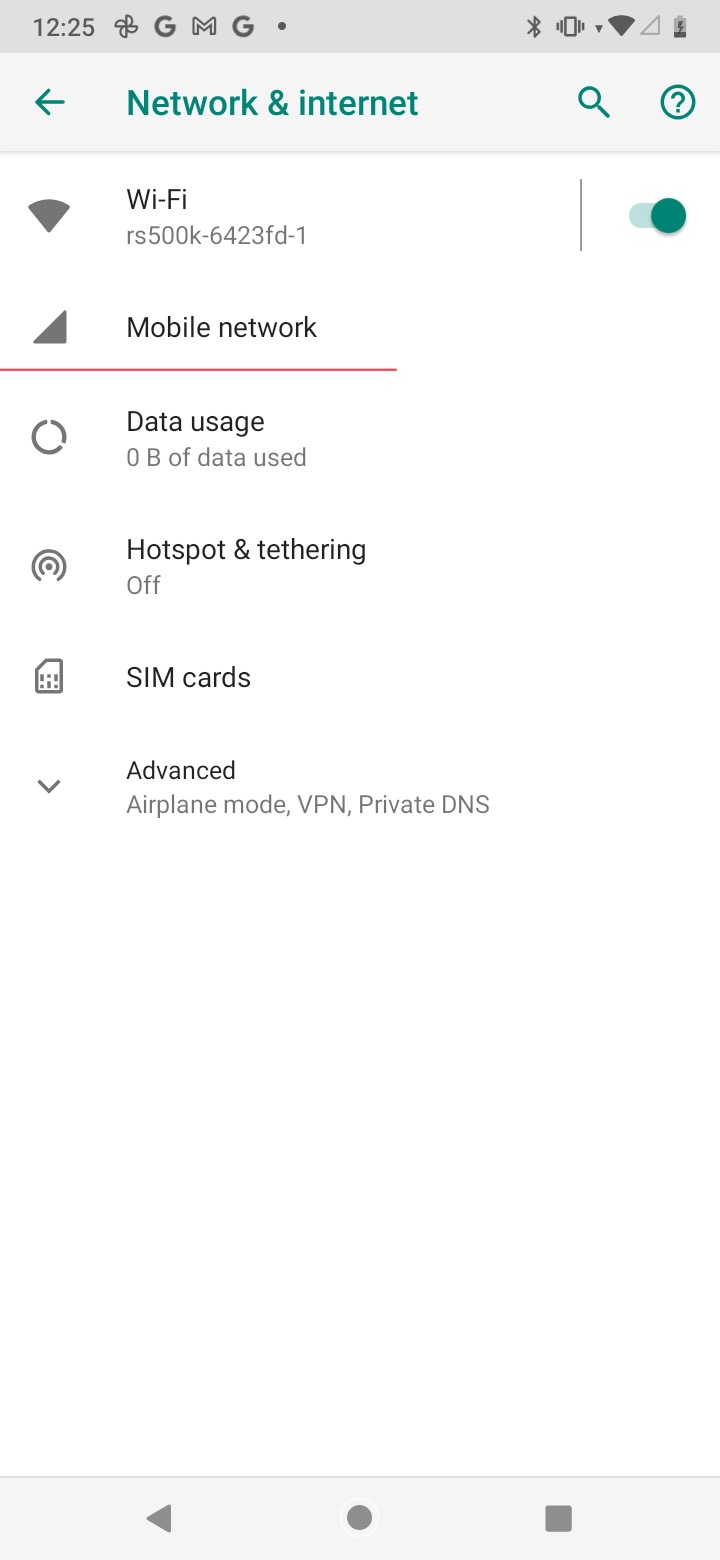
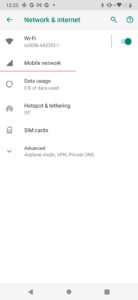
- Click “Mobile network”.
ចុច “បណ្តាញចល័ត(Mobile network)”។
- Click SIM card.
ចុច “កាត SIM(SIM card)”។

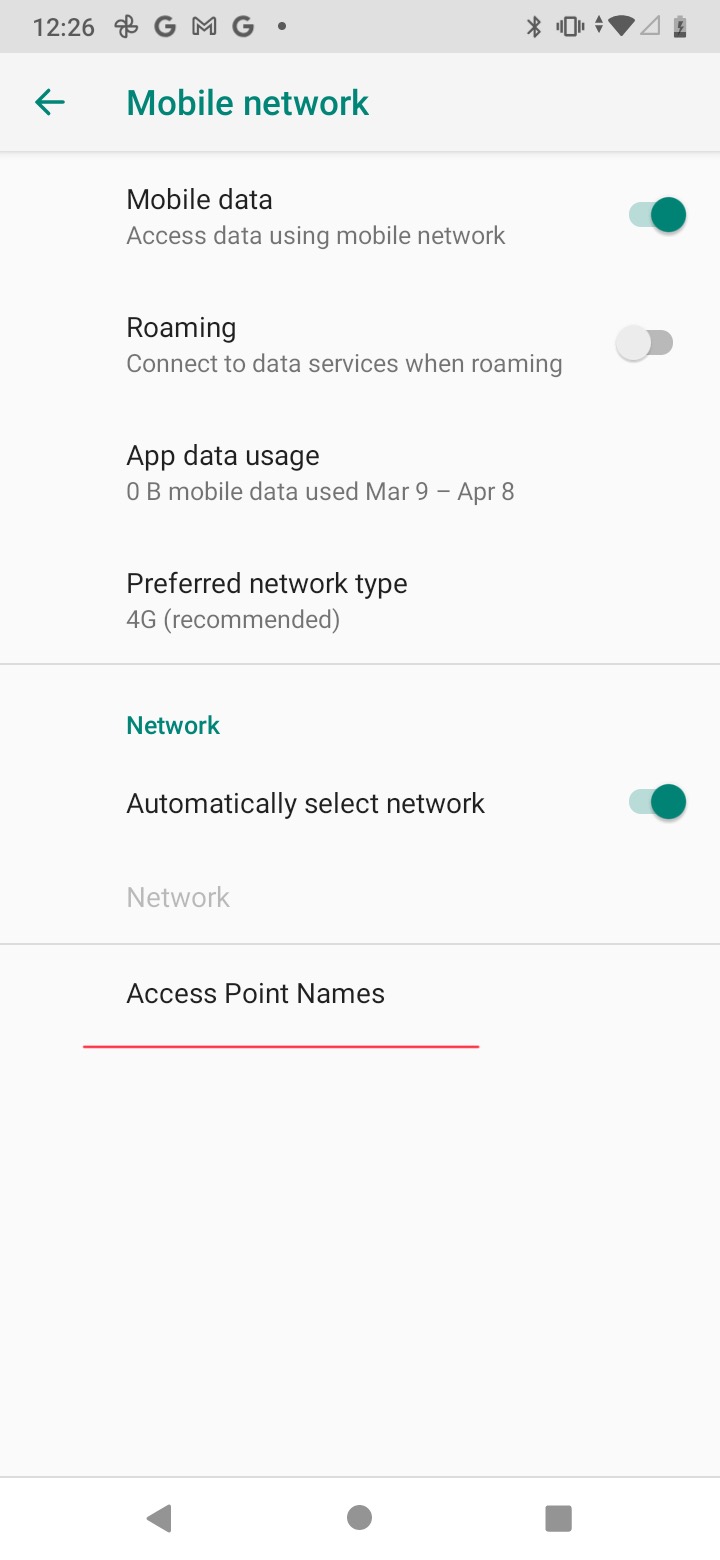
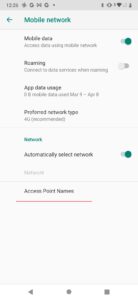
- Click “Access Point Names”.
ចុច “ឈ្មោះចំណុចប្រសិទ្ធិ(Access Point Names)”។
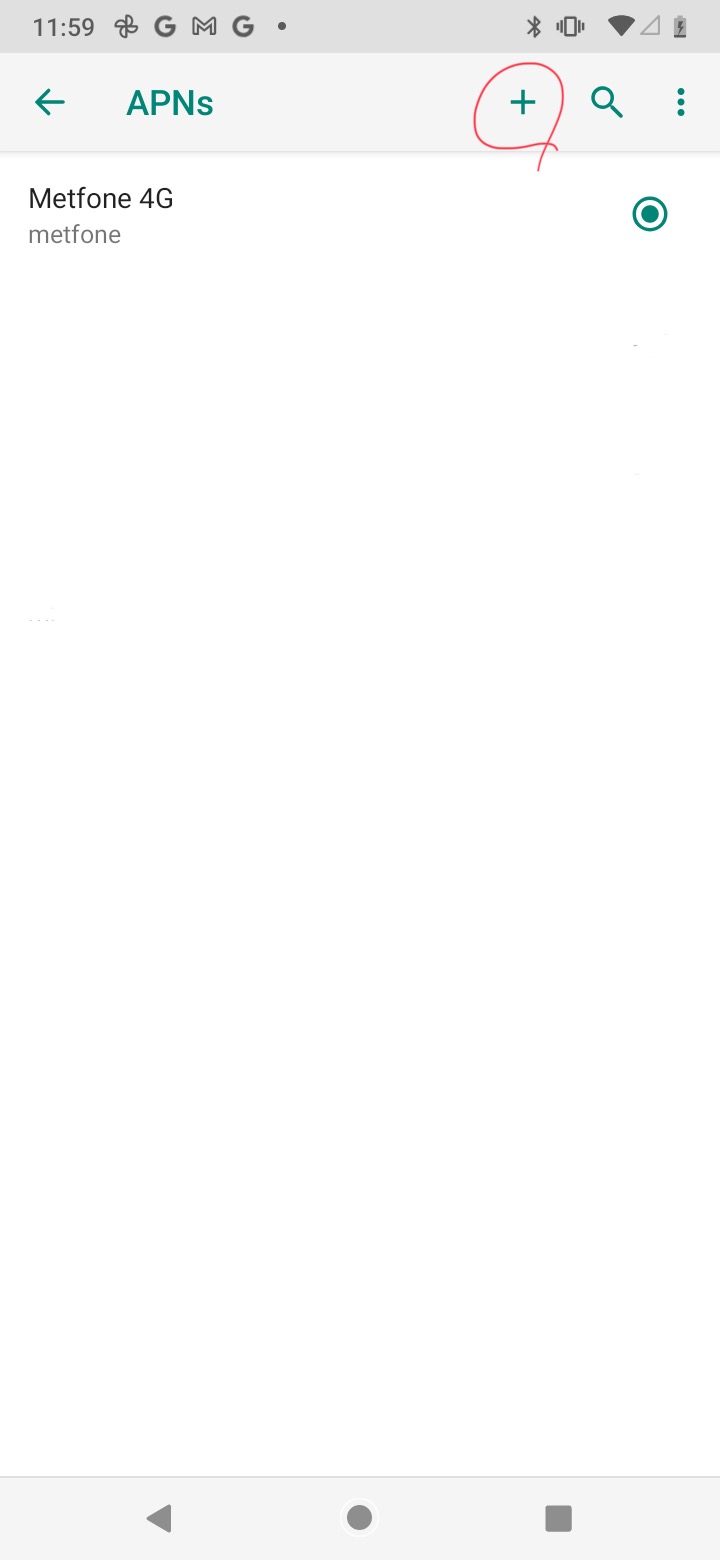
- Click “+” and create new APN.
ចុច “+” ហើយបង្កើត APN ថ្មី។

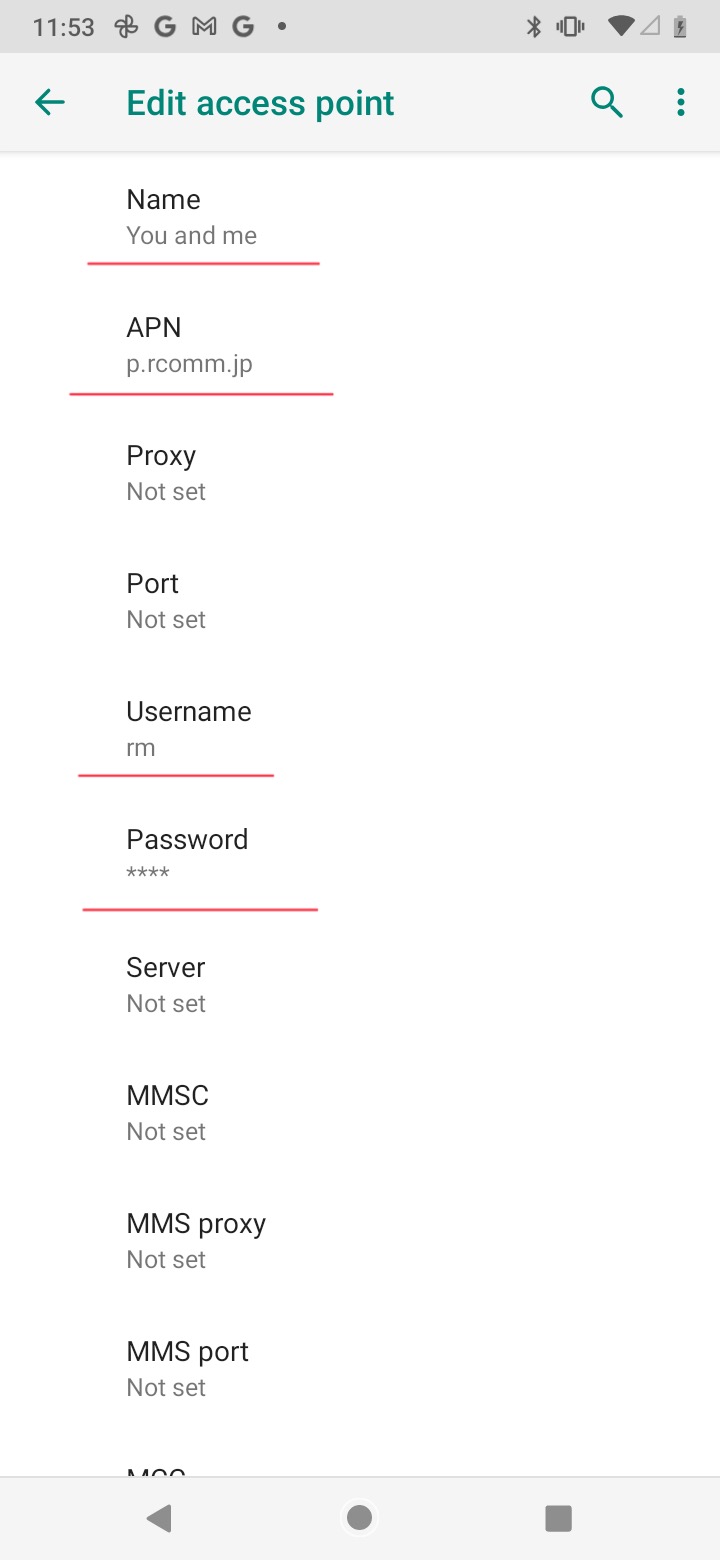
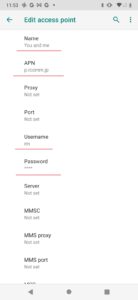
- Please fill exactly as , Name = You and me , APN = p.rcomm.jp , Username = rm , Password = 0000 .
សូមបំពេញត្រឹមត្រូវដូចខាងក្រោម៖ Name = You and me, APN = p.rcomm.jp, Username = rm, Password = 0000 ។
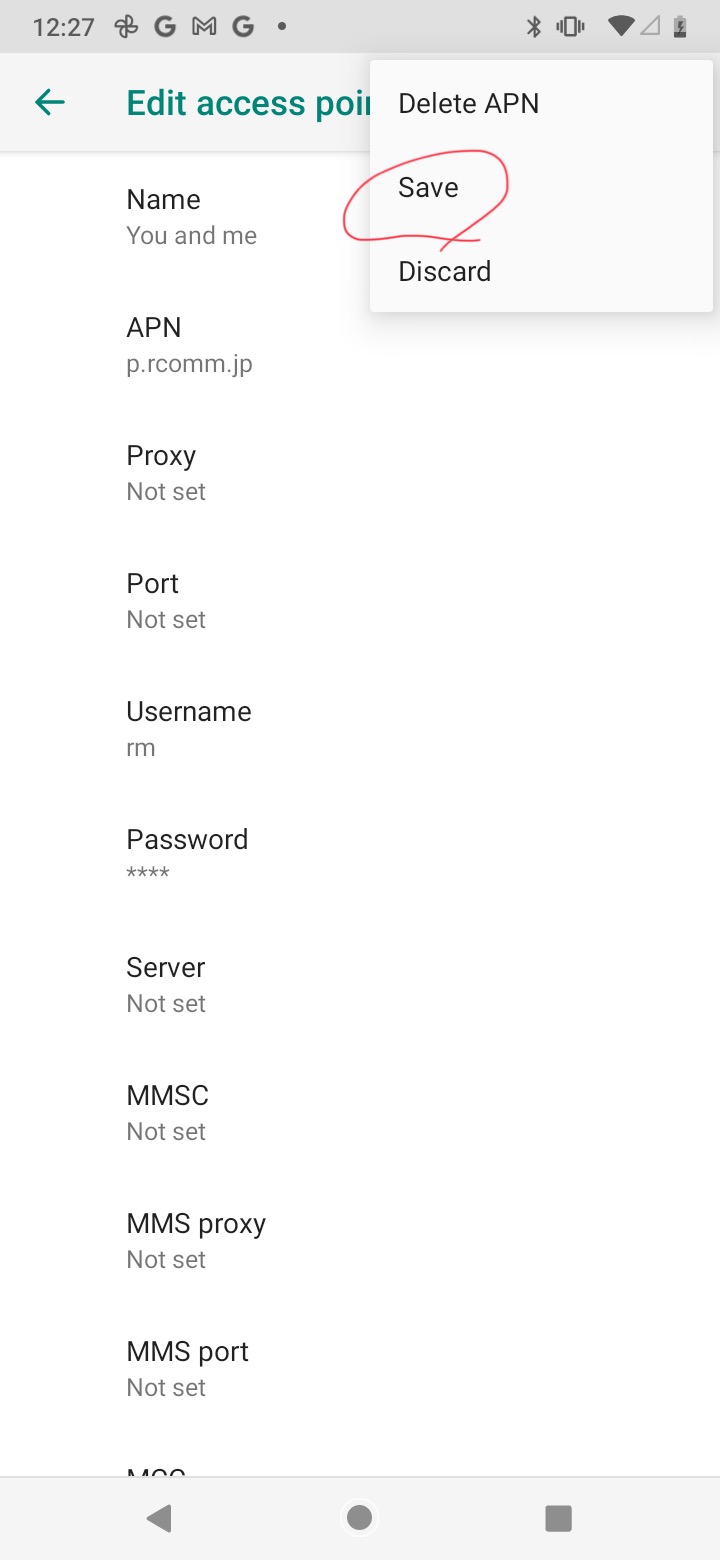
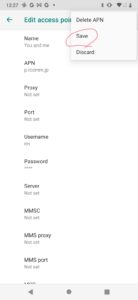
- Save the APN setting.
រក្សាទុកការកំណត់ APN។
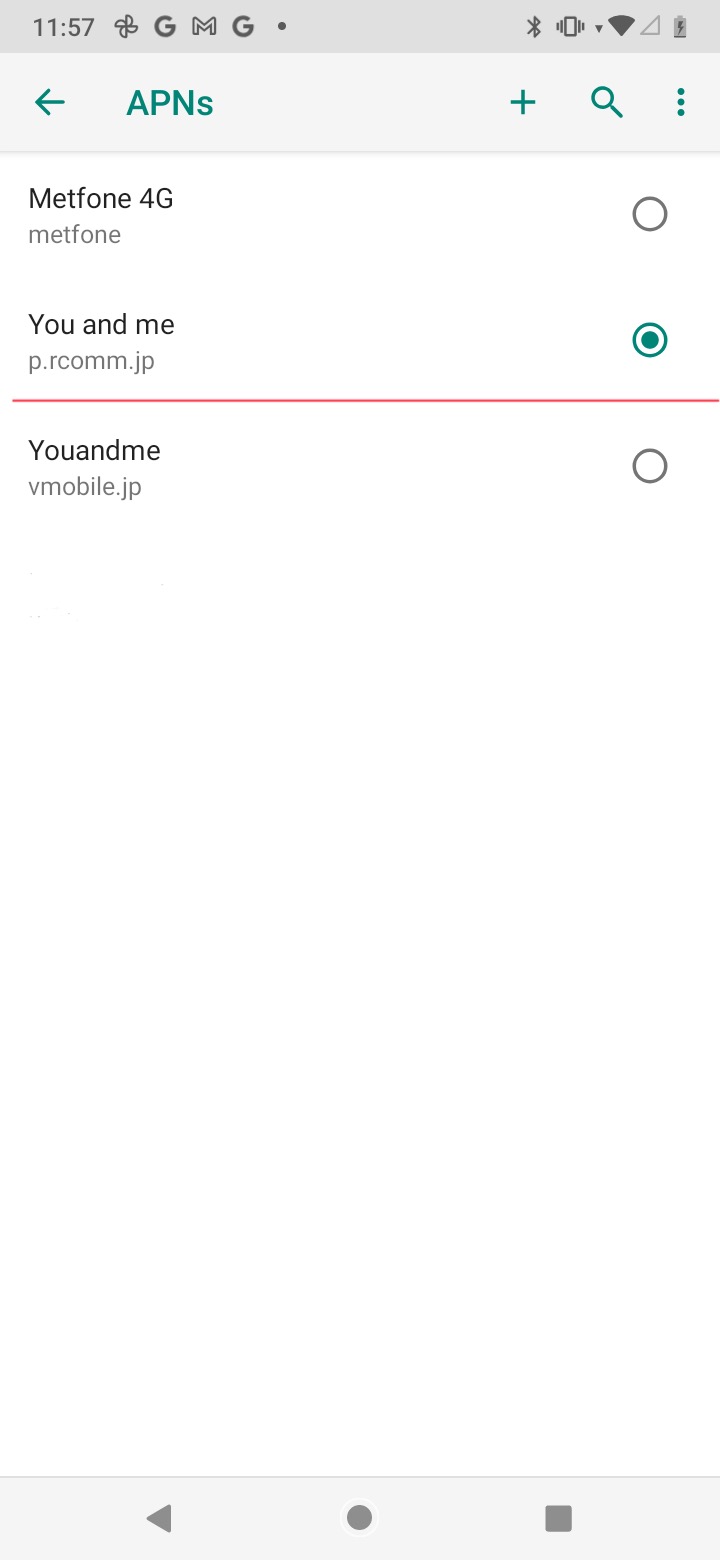
- Please select the You and me APN setting.
សូមជ្រើសការកំណត់ APN You and me។